
The Auto-Magic filter
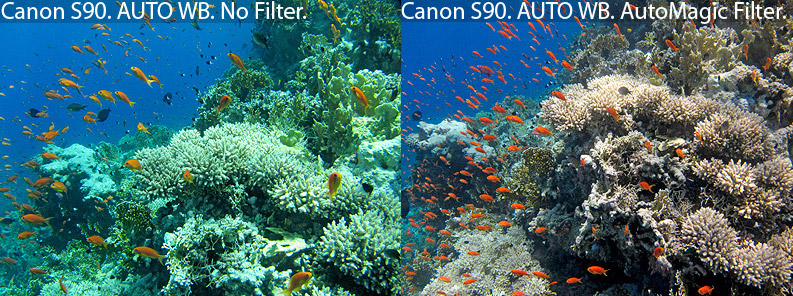
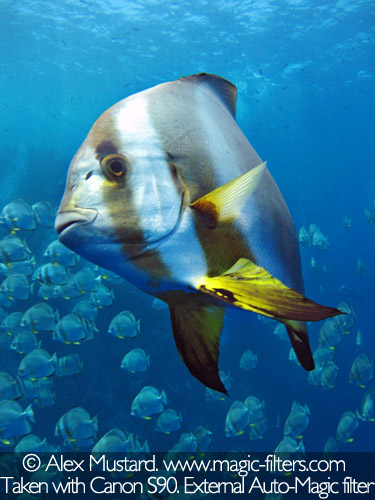
The Auto-Magic filter is designed to produce colourful underwater photos with digital compact cameras without the need for flash. It works equally well for shooting still images or video (for GoPro solutions click here).
The principle of this filter is similar to a standard red filter. However, our filter is a more complex recipe, not just a single colour. Our unique formula was refined simply by us testing different filter recipes by taking real underwater photos with digital compact cameras underwater. The Auto-Magic filter recipe is not availble off the shelf and other filters sold for underwater photography do not use it. The Auto-Magic filter looks orangey-red, but there is much more to it than the colour it looks.
We make two versions of the Auto-Magic filter, each with its own advantages:
1) The Internal mounting Auto-Magic filter (AM) is the paper thin gel version of the Auto-Magic filter, which can be easily cut and mounted inside your housing on virtually any camera. It costs only £22 and takes up almost no luggage space.
2) The External mounting Auto-Magic filter (AMS) is the 3mm thick acryllic version of the Auto-Magic filter, which can be mounted externally on your camera housing (either directly or with an adaptor). This filter can be taken on and off during a dive.
Click on one of the two images below to read more about the type of Auto-Magic filter you are interested in (if you are unsure, click on the external mounting filter for now - the information on the pages almost identical - and the buy page has both filter types listed):
The Auto-Magic allows you to take colourful underwater pictures withiout the hassle and difficulty of getting good results with the internal flash or an external strobe. It delivers great colours without the risk of backscatter.
The Auto-Magic filter is designed to produce colourful underwater photos with digital compact cameras without the need for flash. It works equally well for shooting still images or video (for GoPro solutions click here).
The principle of this filter is similar to a standard red filter. However, our filter is a more complex recipe, not just a single colour. Our unique formula was refined simply by us testing different filter recipes by taking real underwater photos with digital compact cameras underwater. The Auto-Magic filter recipe is not availble off the shelf and other filters sold for underwater photography do not use it. The Auto-Magic filter looks orangey-red, but there is much more to it than the colour it looks.
We make two versions of the Auto-Magic filter, each with its own advantages:
1) The Internal mounting Auto-Magic filter (AM) is the paper thin gel version of the Auto-Magic filter, which can be easily cut and mounted inside your housing on virtually any camera. It costs only £22 and takes up almost no luggage space.
2) The External mounting Auto-Magic filter (AMS) is the 3mm thick acryllic version of the Auto-Magic filter, which can be mounted externally on your camera housing (either directly or with an adaptor). This filter can be taken on and off during a dive.
Click on one of the two images below to read more about the type of Auto-Magic filter you are interested in (if you are unsure, click on the external mounting filter for now - the information on the pages almost identical - and the buy page has both filter types listed):
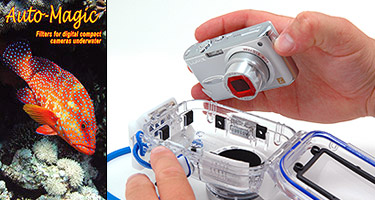 Internal mounting Auto-Magic filter |
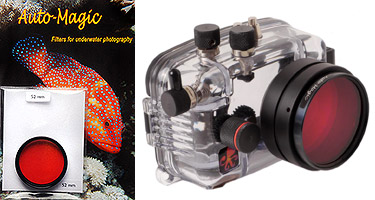 External mounting Auto-Magic filter |
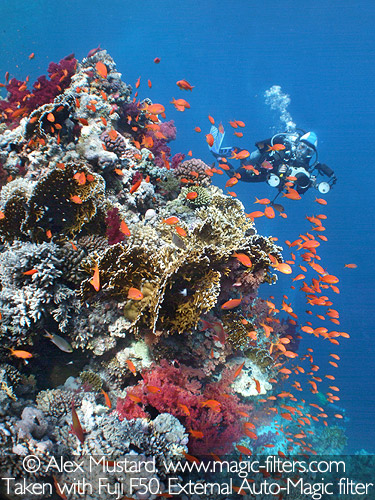
The Auto-Magic allows you to take colourful underwater pictures withiout the hassle and difficulty of getting good results with the internal flash or an external strobe. It delivers great colours without the risk of backscatter.
 |
 |